Assigned annapap9
Polygon Marker stroke properties not syncing across different environments
Polygon Marker stroke properties not syncing across different environments
Open- Feature
- Maps
- Reported by
- Isaac Thompson
- Opened
- Assigned to
- annapap9
- Last activity
Description
When creating a polygon marker in a map, it gives the option to alter the stroke width and dash length. However, while these properties show up correctly in the edit view of the map, they don't show up at all on the embedded map (resorting to the default width of 3px, and no dash), and only the dashes show up on the full-size view of the map (defaulting to width 3px).
I have tested this it displays this way in Edge, and displayed this map in Chrome on my android phone, so I do not believe it is browser-specific.
Below are screenshots of a single polygon across these three environments, with the inspector open to show that attributes are missing on the embed and full-size versions of the marker. There is 0 custom css impacting this.
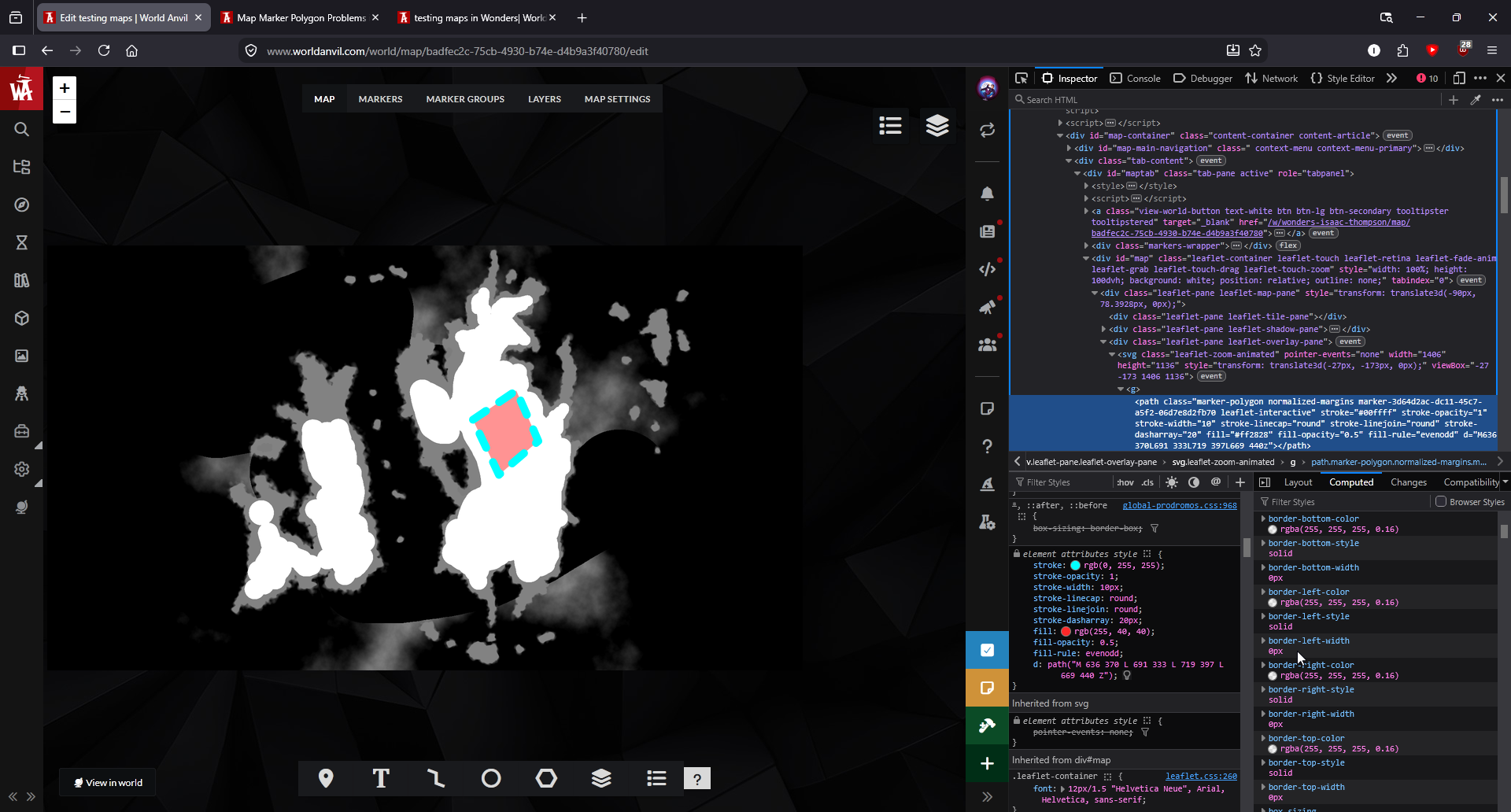 Edit View
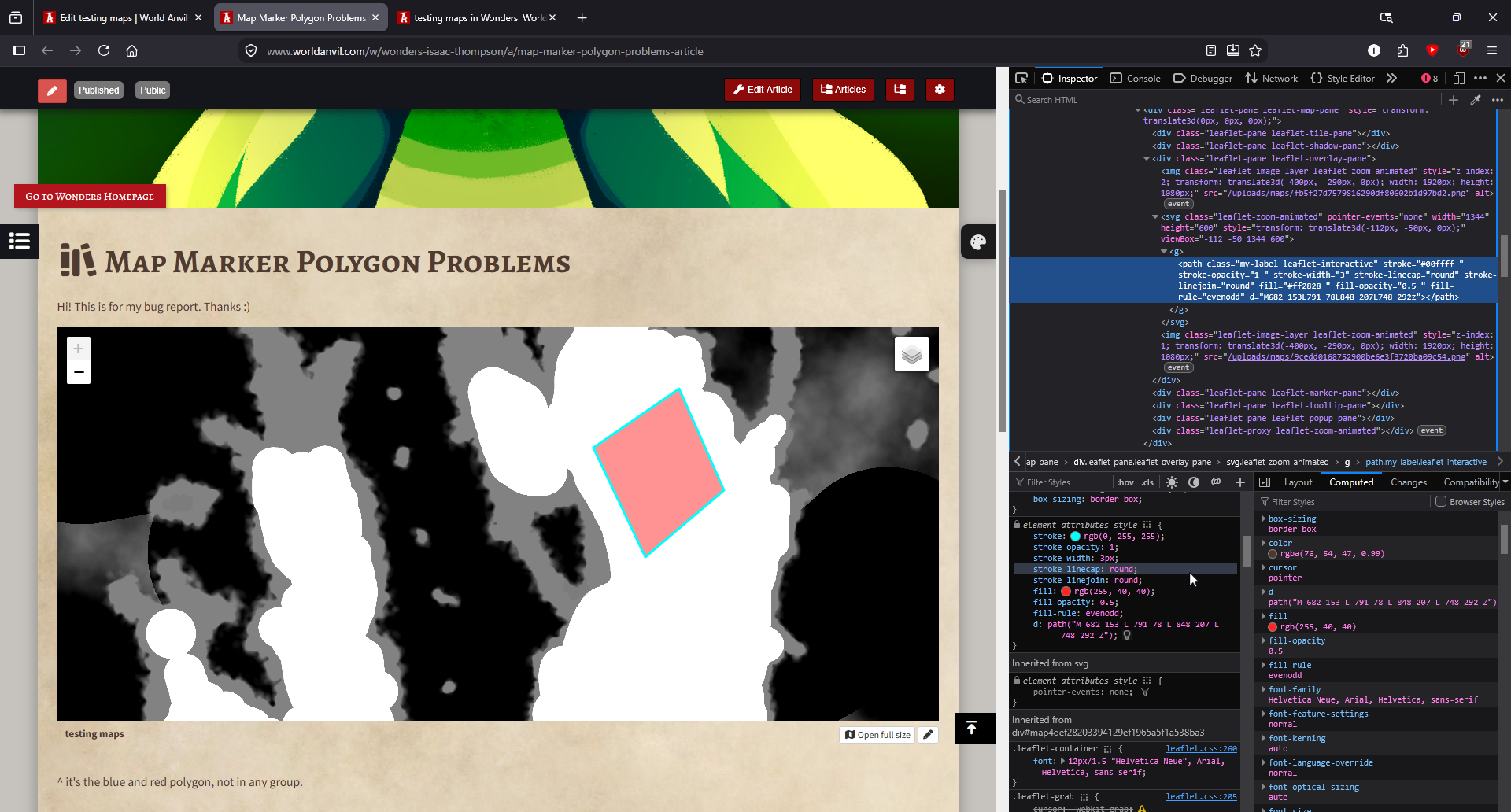 Embed View
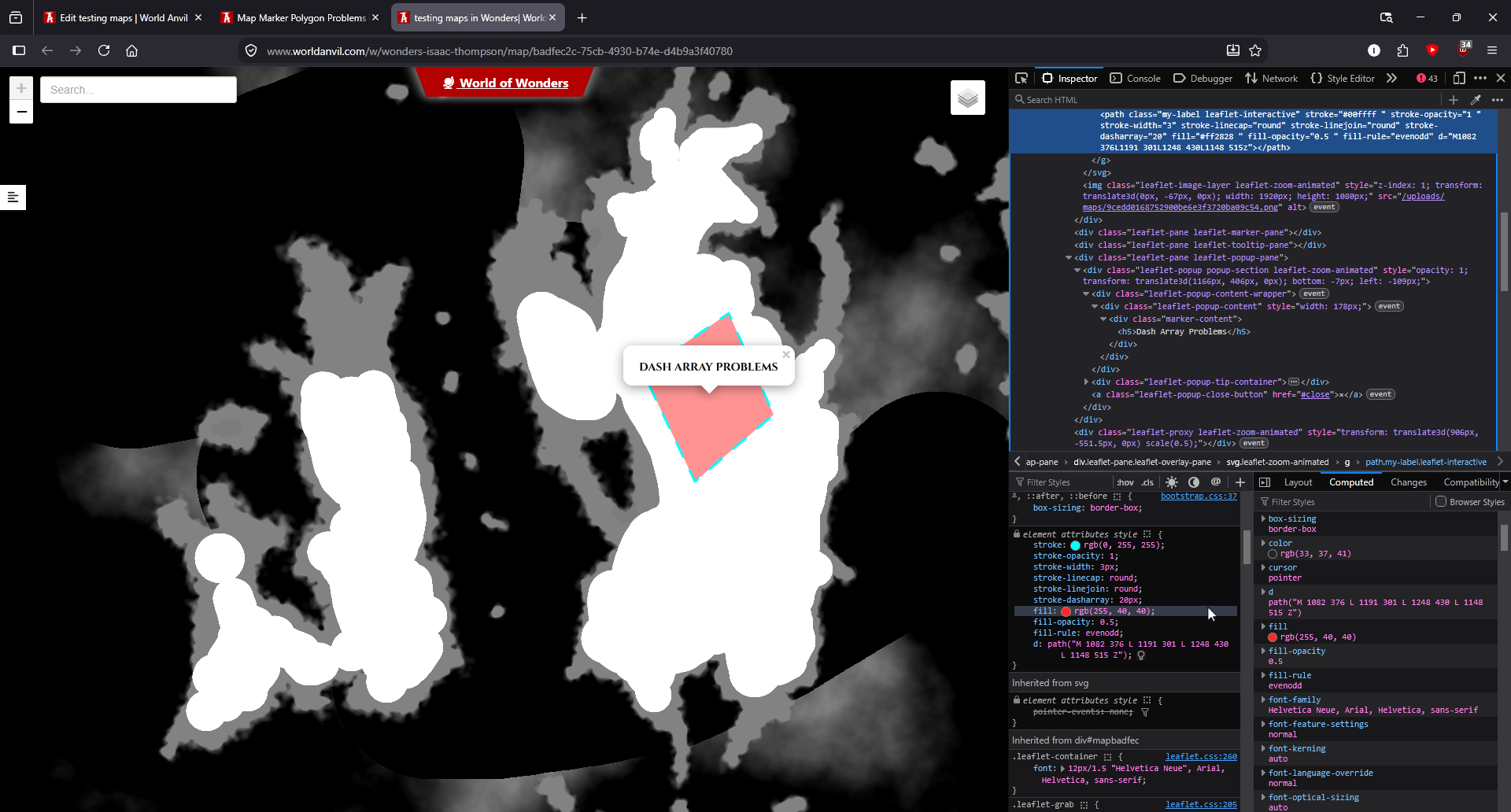 Full Size View
Steps to Reproduce
1. Open a map
2. Create a polygon marker
3. Set its Line Weight to anything other than 3
4. Set a Stroke Dash Size above 0
5. View the created marker in an embedded map or full size map view to compare properties.
History
Comments and updates to this report
Find your way!
Resources
WHO WE ARE
LEGAL
Listen to our Podcast




by 3 Armored Kittens · Prodromos v.1.1 - World Anvil 0.9.15.050 © 2017-2025 [en] | Anvil Time: 05:15, Nov 26 2026